Direct Answer: A car wireless charger usually fails to charge properly due to phone case interference, misalignment with the charging coil, a weak 12V power source, or overheating that triggers thermal throttling. Removing thick cases, realigning the phone, and using a higher-output power source fixes most charging issues immediately.
Introduction
A car wireless charger is supposed to be the simplest accessory in your car, just set the phone down and go. But when it starts charging slowly, dropping connection over bumps, or not charging at all, that convenience turns into a daily annoyance. Whether you’re running a basic wireless charging pad for car use or a magnetic setup like the Ugreen 25W MagFlow magnetic car charger, the underlying causes of poor performance are almost always mechanical or electrical rather than a defective unit. Understanding what’s actually going wrong lets you fix it in the driveway instead of returning a perfectly good charger.
Why does this problem happen?
Most issues with an auto wireless car charger come down to a handful of predictable causes:
- Phone case interference. Cases thicker than about 3mm, or ones with metal components, magnetic rings, or credit card slots on the back, block or weaken the charging coil’s connection.
- Coil misalignment. Wireless charging requires precise coil-to-coil positioning. Even a few millimeters off-center on a non-magnetic wireless charging pad for car use can drop charging speed or stop it entirely.
- Insufficient power input. Wireless charging draws more current than a standard USB port can reliably deliver. A weak 12V socket, an old cigarette lighter adapter, or a non-PD cable throttles output significantly.
- Thermal throttling. Wireless charging generates more heat than wired charging. In direct sunlight or a hot cabin, the charger or phone can overheat and intentionally slow or pause charging to protect the battery.
- Loose mount or vibration. A charger with a weak grip or worn suction cup shifts during driving, breaking coil alignment every time you hit a bump.
- Firmware or compatibility mismatches. Some phones and chargers don’t fully agree on charging protocol (Qi, Qi2, or proprietary fast-charge standards), causing charging to start, stop, or cap at a lower wattage than expected.
What early warning signs appear before full failure?
Watch for these signs before your charger stops working altogether:
- Charging speed noticeably slower than when the pad was new.
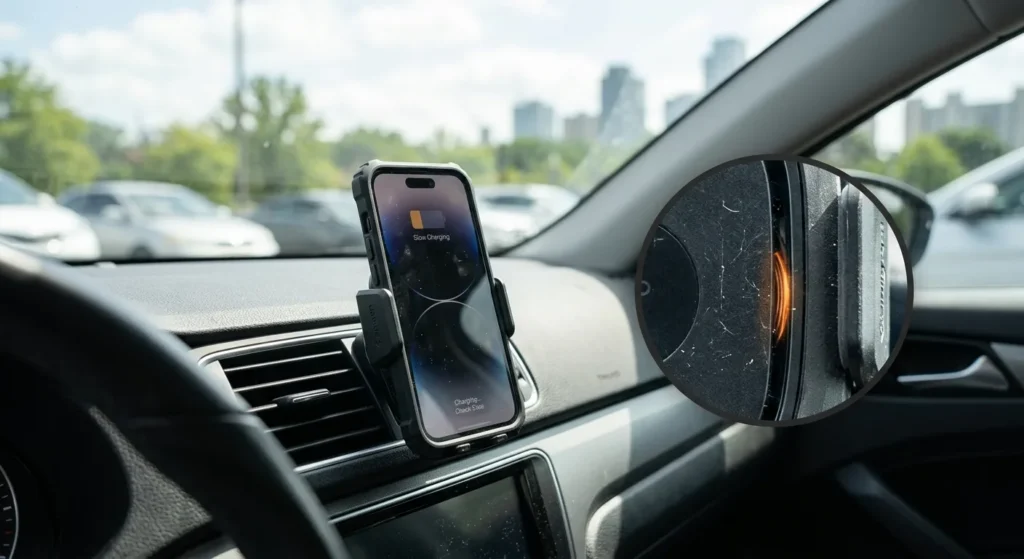
- The phone shows “charging” but the battery percentage barely moves over a 20-minute drive.
- An audible click or beep repeating every few seconds, indicating the charger is losing and re-establishing connection.
- The charging pad feels excessively hot to the touch within the first few minutes.
- The phone slides slightly out of position on rough roads, especially with non-magnetic mounts.
How to diagnose and fix this problem step-by-step?
Tools Needed:
- Microfiber cloth
- Rubbing alcohol (for cleaning contact surfaces)
- Multimeter (optional, for checking 12V socket output)
- A known-good PD-rated USB cable and adapter
- Replacement fuse (if the charger’s dedicated circuit has tripped)
Chronological Fix Guide:
- Remove thick or magnetic phone cases. Test with the case off first. If charging speed improves immediately, the case is your issue, and you may need a thinner, wireless-charging-compatible case going forward.
- Check coil alignment. Most wireless charging pad for car setups have an alignment marker or ring. Center your phone directly over it; even slight misalignment reduces charging efficiency significantly.
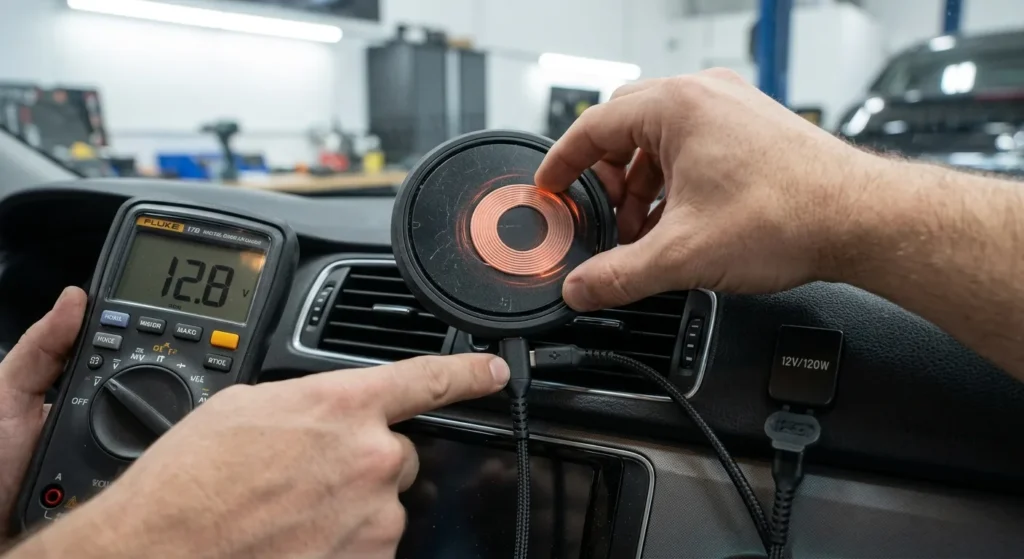
- Test the power source. Use a multimeter on the 12V socket if available, or simply swap in a different charging cable and adapter rated for at least 18W PD output. A weak or damaged cable is a common, overlooked cause.
- Clean the charging surface. Wipe both the phone’s back and the charger’s pad with a microfiber cloth and a small amount of rubbing alcohol to remove dust or oils that can interfere with the magnetic or contact alignment.
- Check for overheating. If the charger feels hot, let it cool for 10-15 minutes with the phone removed, then relocate it out of direct sunlight before testing again.
- Inspect the mount’s grip. For suction or clip mounts, clean the contact surface and check that the grip hasn’t degraded. A loose mount causes repeated micro-disconnects that look like a charging fault but are actually a stability issue.
- Confirm protocol compatibility. Check your phone and charger’s supported wireless standard (Qi, Qi2, MagSafe-compatible, etc.) to rule out a fundamental mismatch capping your charging speed.
Expert’s Note: Real-World Testing & Diagnostic Insight
A customer came in with a magnetic wireless charger that seemed to charge fine at home but barely moved the battery percentage during commutes. We tested the car’s 12V socket output and found it was delivering well under the 15W the charger needed, likely due to a worn socket contact. Swapping to a dedicated USB-C PD adapter wired directly to a fused circuit solved it instantly, with charging speed jumping back to expected levels on the next drive. The lesson: before assuming the charger itself is broken, always verify the power source is actually delivering what the charger needs.
How to prevent this issue from happening again?
- Keep the charging pad out of direct sun when possible, since heat is the fastest way to trigger throttling on any auto wireless car charger.
- Use a case designed for wireless charging, thin, non-metallic, and free of magnetic add-ons that interfere with coil alignment.
- Clean both surfaces weekly with a dry or slightly damp microfiber cloth to prevent dust buildup from affecting contact.
- Use a dedicated, adequately rated power source rather than sharing a socket with other high-draw accessories.
- Check mount grip and cable strain relief periodically, since a loose mount or a cable under constant tension both shorten the system’s lifespan.
- Avoid cheap, unrated cables, since underpowered or damaged cables are one of the most common reasons a wireless charger for car use underperforms.
FAQ
- Why does my car wireless charger charge so slowly?
Slow charging is usually caused by coil misalignment, a thick phone case, or an underpowered 12V source that can’t supply the current the charger needs. Removing the case and testing with a higher-output adapter resolves most cases. If speed is still low, check whether your phone and charger support matching wireless charging protocols.
- Does a car with a wireless charger built in work better than an aftermarket pad?
Factory-integrated chargers are generally more consistent since they’re matched to the vehicle’s power system and mounting position, but they can still suffer from misalignment or case interference just like aftermarket units. The core troubleshooting steps, alignment and case compatibility, apply either way. An aftermarket wireless charging pad for car use with magnetic alignment, like the Ugreen 25W MagFlow, can actually outperform a poorly positioned factory unit.
- Can extreme cabin heat damage my wireless car charger long-term?
Yes, repeated exposure to high cabin temperatures accelerates wear on the charger’s internal components and can shorten battery life on connected phones due to frequent thermal throttling. Parking in shade and avoiding leaving the charger active in direct sun for extended periods reduces this risk significantly. If your charger regularly feels excessively hot, consider relocating it to a less sun-exposed mounting spot.
Conclusion
A car wireless charger that isn’t performing well almost always comes down to alignment, case interference, or an underpowered connection, not a defective unit. Check your case, confirm proper coil alignment, and use a reliable power source, and you’ll get consistent, fast charging on every drive. A few minutes of troubleshooting now means one less thing to worry about before you’re even out of the driveway.